
Convert
Convert swaps one asset in your wallet for another. USD into BTC, GRAM back into USD, whatever pair you need. Nothing leaves XBTFX and no blockchain is involved, so it settles immediately rather than waiting on a network.
It is the quickest way to fix a mismatch. If your money is sitting in USD and the trading account you want to fund is denominated in BTC, converting first saves you a withdrawal and a fresh deposit.
The steps
- Open Wallet.
- Find the asset you want to convert from and select Convert on its row.
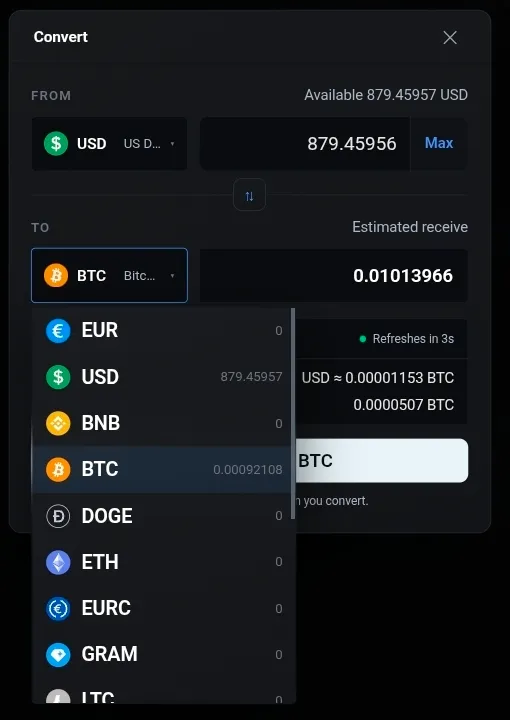
- Pick the asset you want under TO.
- Enter an amount, or select Max.
- Check the rate and the fee, then select Convert.
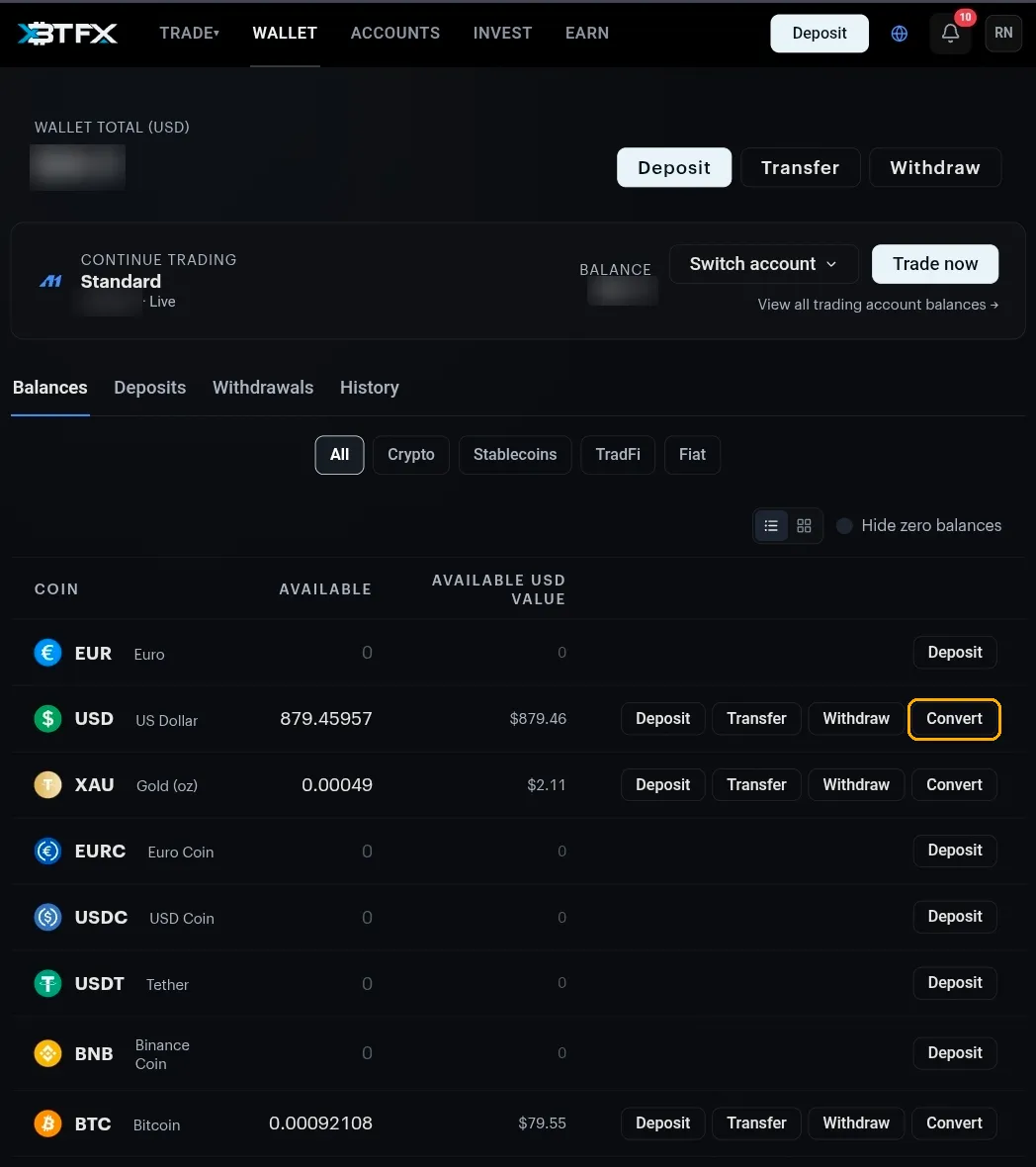
Convert only appears on a row you actually hold something in. An asset with a zero balance offers Deposit and nothing else, which is why the button seems to be missing on most of the list.
The dialog
FROM shows what you hold in that asset, with Max to use all of it. TO is what you get, and the figure in it is an estimate rather than a promise.
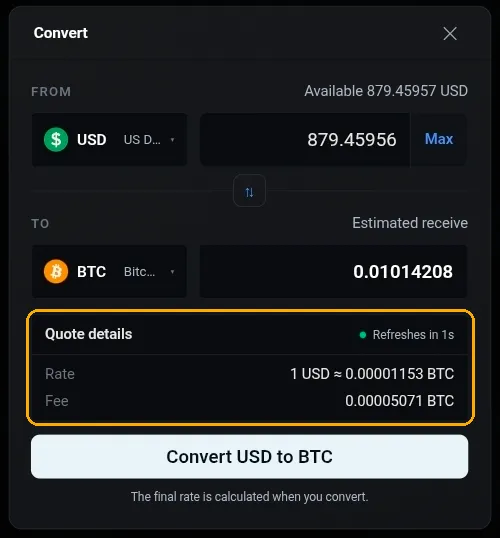
Three things in that panel are worth reading before you commit:
- The countdown. The quote refreshes every few seconds, so the estimate moves while the dialog is open. That is the market, not a glitch.
- The rate, written as one unit of what you are giving up, for example 1 USD ≈ 0.00001153 BTC.
- The fee, charged in the asset you are receiving and listed separately from the estimate.
The line under the button says it plainly: the final rate is calculated when you convert. Treat the number on screen as close, not exact.
Picking the other asset
The TO dropdown lists everything your wallet supports with your balance beside each one, so you can see what you already hold without leaving the dialog.
Converting back
The button between the two rows, with the two arrows, flips the direction. Use it instead of re-picking both sides.
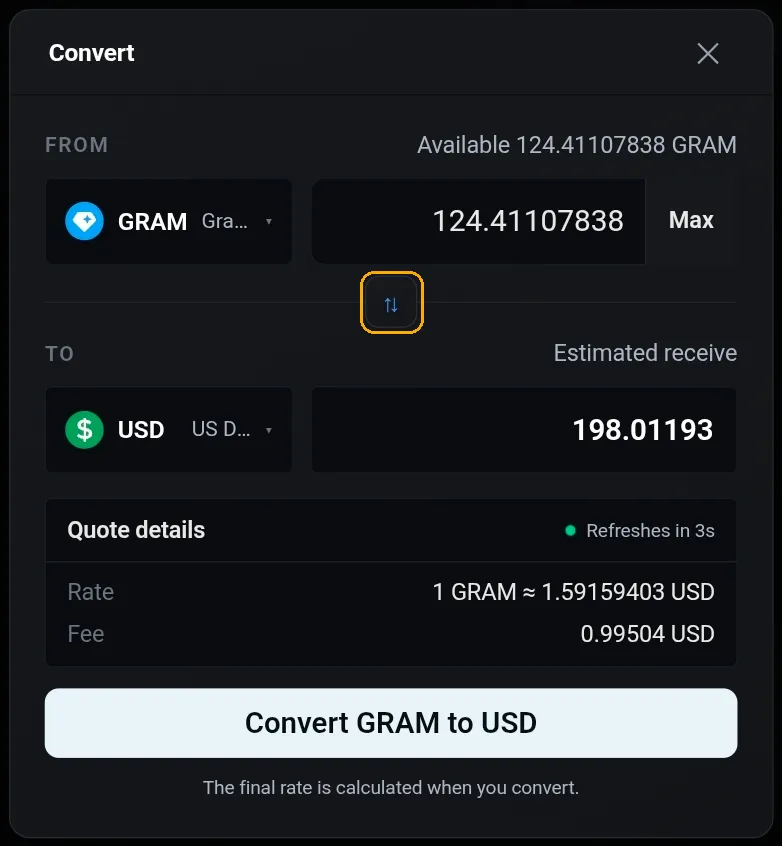
Converting back and forth costs you the fee each way, plus whatever the rate has done in between. It is not a free undo.
Worth knowing
- A conversion stays inside your wallet. To get the result onto a trading account you still need a transfer.
- The History tab on the Wallet page is the full ledger for your wallet, and the first place to look if something seems off.
Something not adding up? Open the chat widget with the two assets and roughly when you converted.