
Withdrawals
Two ways out. Crypto goes to an external wallet and takes almost any balance, including fiat ones. Bank transfer goes to your verified bank account, is EUR only, and has a condition attached.
Withdrawals come out of a wallet, not a trading account. If the money is on an account you trade with, transfer it back first.
The steps
- On the Wallet tab, select Withdraw.
- Pick the Asset you are withdrawing.
- Enter the amount, or select Max.
- Choose Crypto withdrawal or Bank transfer.
- Fill in the rest of the form, which differs by method.
- Select Review withdrawal, check the destination, then confirm.
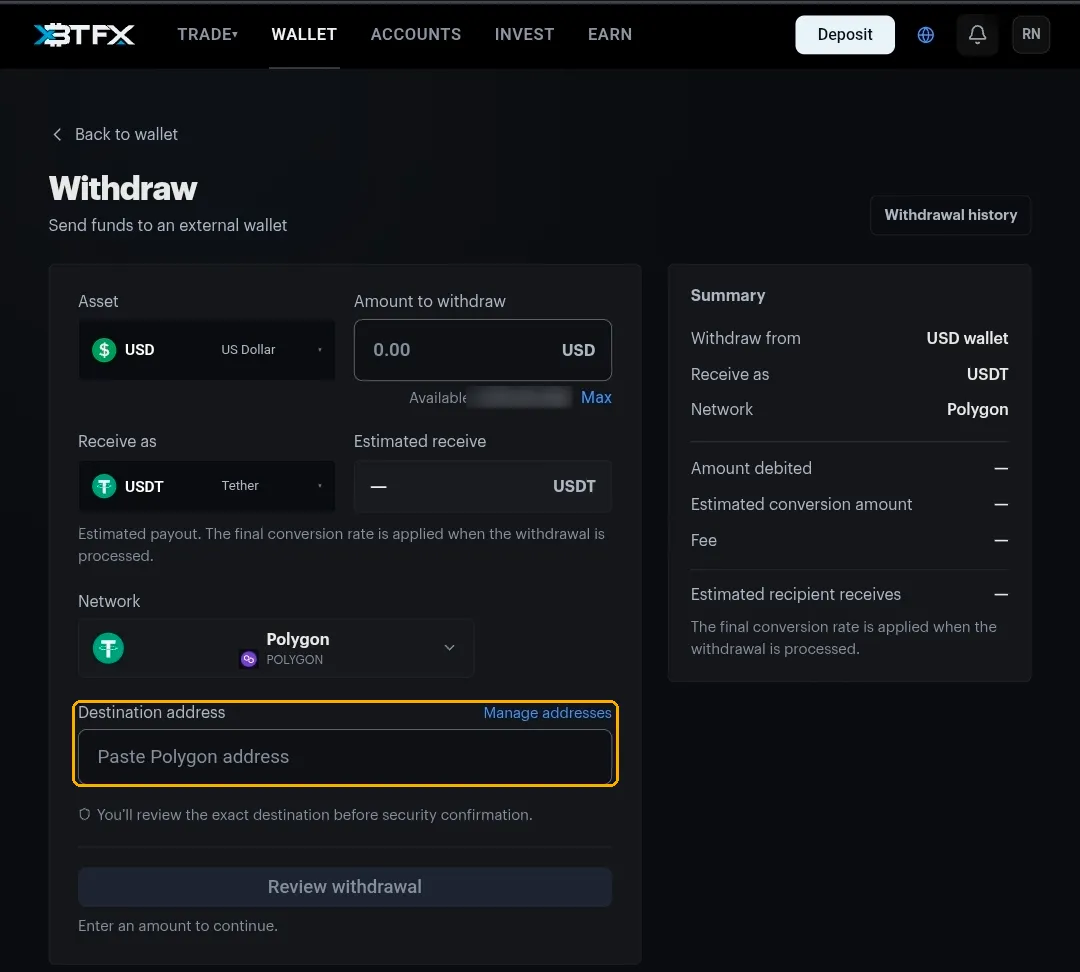
Out as crypto
- Works for crypto balances and fiat ones. You can withdraw from your USD wallet and receive USDT.
- Receive as is the coin that arrives. Every coin you can deposit is available here too.
- Estimated receive is an estimate. The rate is applied when the withdrawal is processed, so the figure on screen and the amount that lands will differ slightly.
- The summary itemises the amount debited, the estimated conversion, the fee and what the recipient should receive.
The address and the network have to match the wallet you are sending to. A Polygon address expects Polygon. Wrong network, and the money can be unrecoverable.
Saved addresses and the whitelist
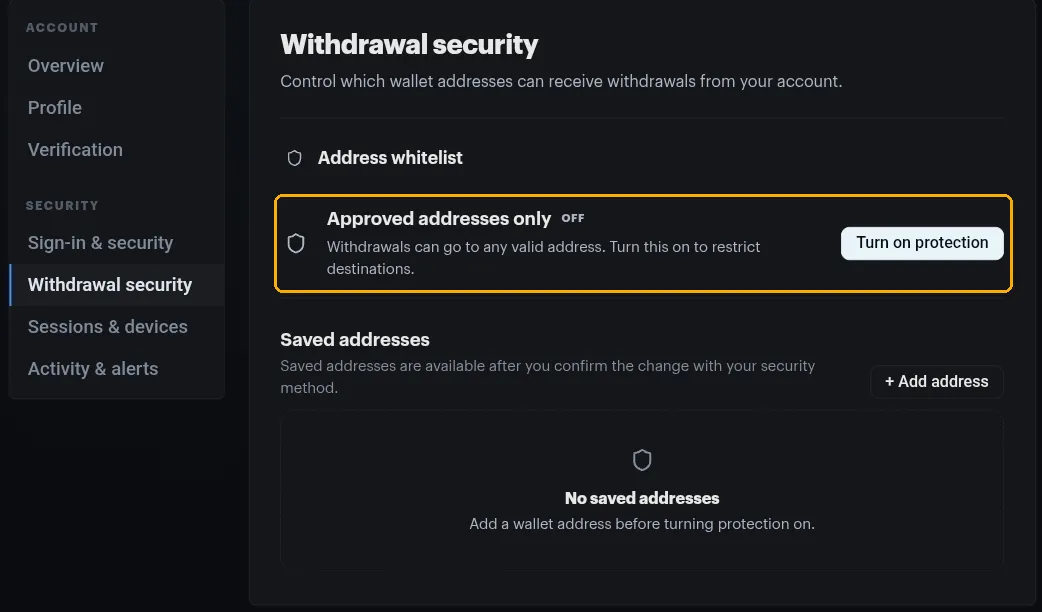
Manage addresses, beside the destination field, opens Withdrawal security in your account settings.
- Saved addresses are addresses you add once and confirm with your security method.
- Approved addresses only is the whitelist. It is off by default, so withdrawals can go anywhere valid.
- You need at least one saved address before you can turn it on.
Worth doing
With the whitelist on, someone who gets into your account still cannot send your money to an address you have not approved. One setup, then a moment whenever you add a destination.
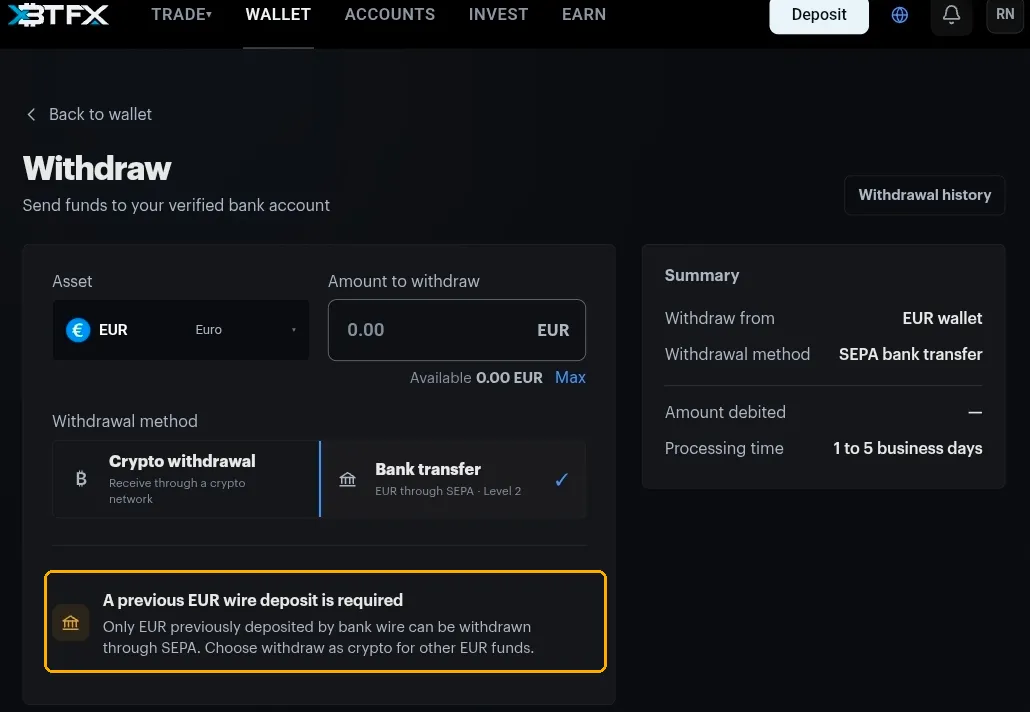
Out to your bank
A previous EUR wire deposit is required
Only EUR that you deposited by bank wire can be withdrawn through SEPA. With no qualifying wire behind the balance the amount field stays locked, so there is nothing to submit. EUR that arrived any other way has to leave as crypto.
- The payment goes to your verified bank account. There is no IBAN field, so changing the destination means talking to support.
- The method card shows a verification level, which is the level your account needs to reach to use it.
- Processing takes 1 to 3 business days, on top of whatever your own bank adds. Crypto timings and the minimums are in the Deposits & Withdrawals FAQ.
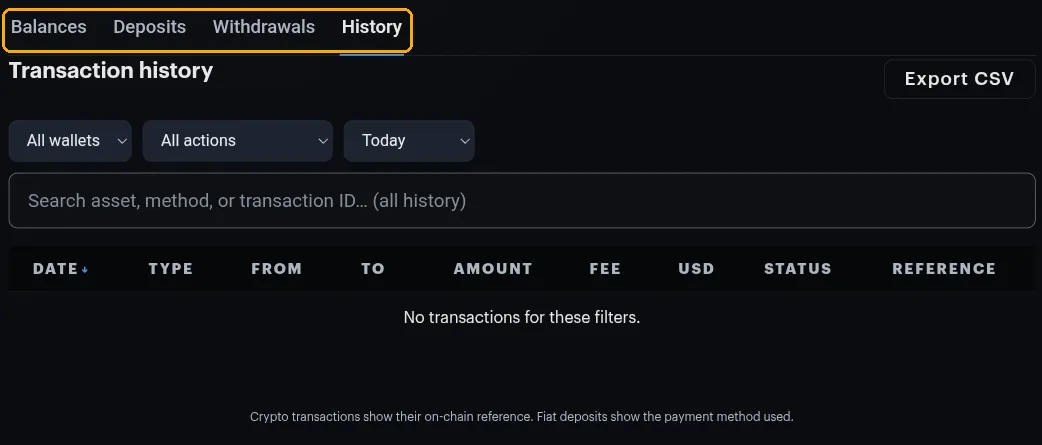
Checking on a withdrawal
Two tabs on the Wallet page, and they are not the same thing:
- Withdrawals lists your withdrawals alone. Quickest way to see whether one has been processed.
- History is the whole ledger: deposits, withdrawals and transfers, with date, type, from, to, amount, fee, USD value, status and reference. Crypto rows show their on-chain reference, fiat deposits show the payment method. It has filters for wallet, action and date, plus Export CSV.
The date filter opens on Today, so older transactions look missing until you widen it. The search box is the exception and covers all history.
The Withdraw page also has its own Withdrawal history button.
When a withdrawal won’t go through
- Available is lower than expected. Check whether the money is still on a trading account, or holding margin on an open position.
- The amount field is locked on bank transfer. No prior EUR wire, so that balance has to leave as crypto.
- The address is rejected. With Approved addresses only on, the destination has to be saved first.
- Less arrived than the estimate. The fee and the final rate both apply at processing time.
Anything else, open the chat widget with the asset, the amount, the method and the time you submitted it.