
Deposit by Bank Card
You set the amount in the client portal, then pay on a checkout page run by our payment provider. The money lands in the currency wallet you picked.
The steps
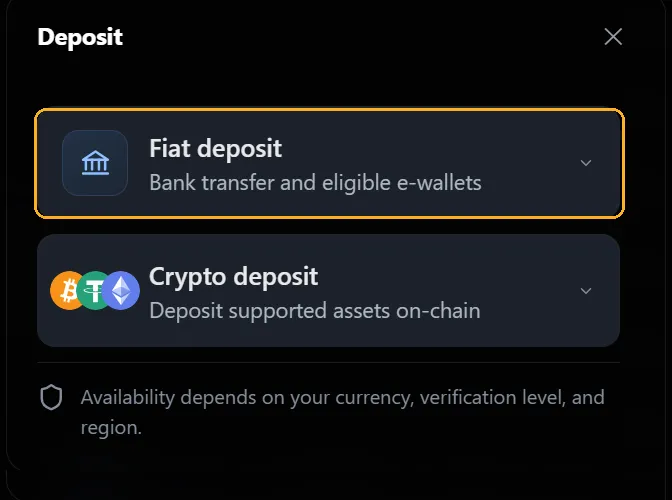
- Sign in to the XBTFX Portal and open Wallet.
- Select Deposit, then Fiat deposit.
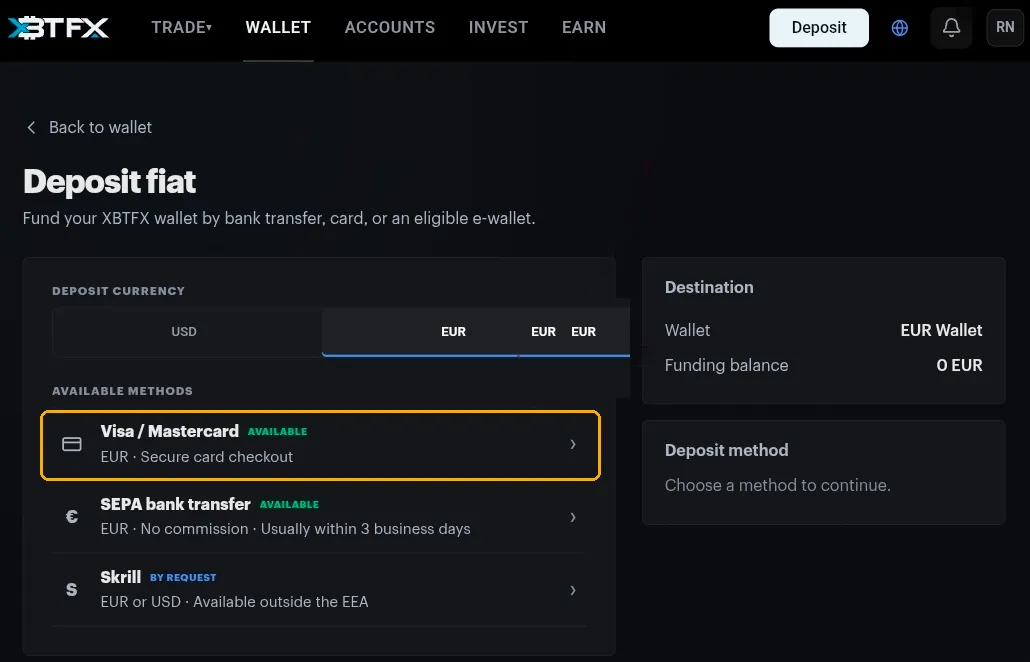
- Set Deposit currency to USD or EUR.
- Select Visa / Mastercard.
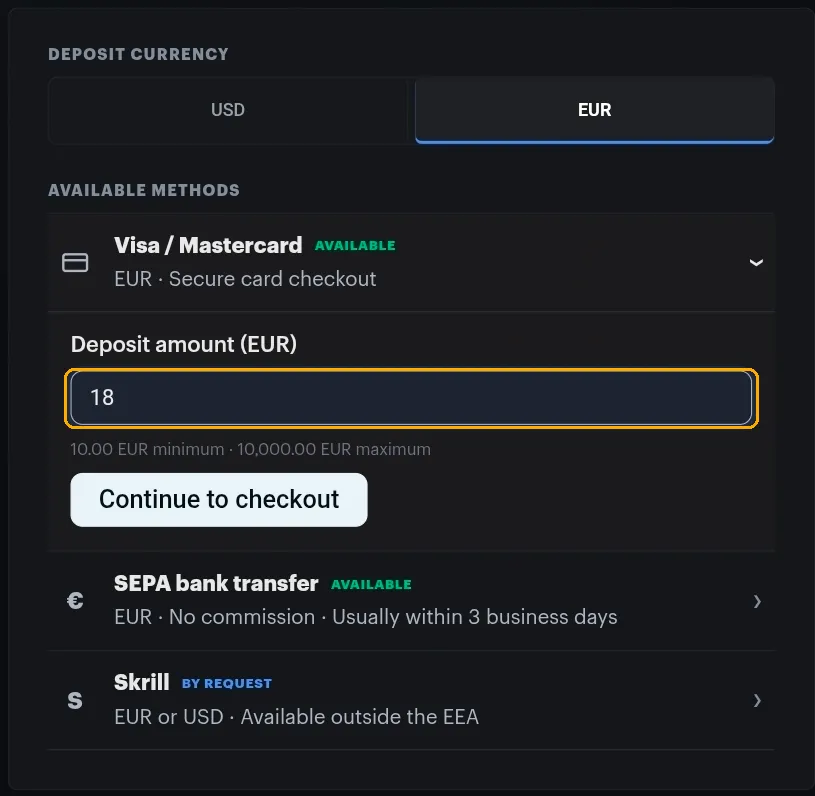
- Enter the amount, then Continue to checkout.
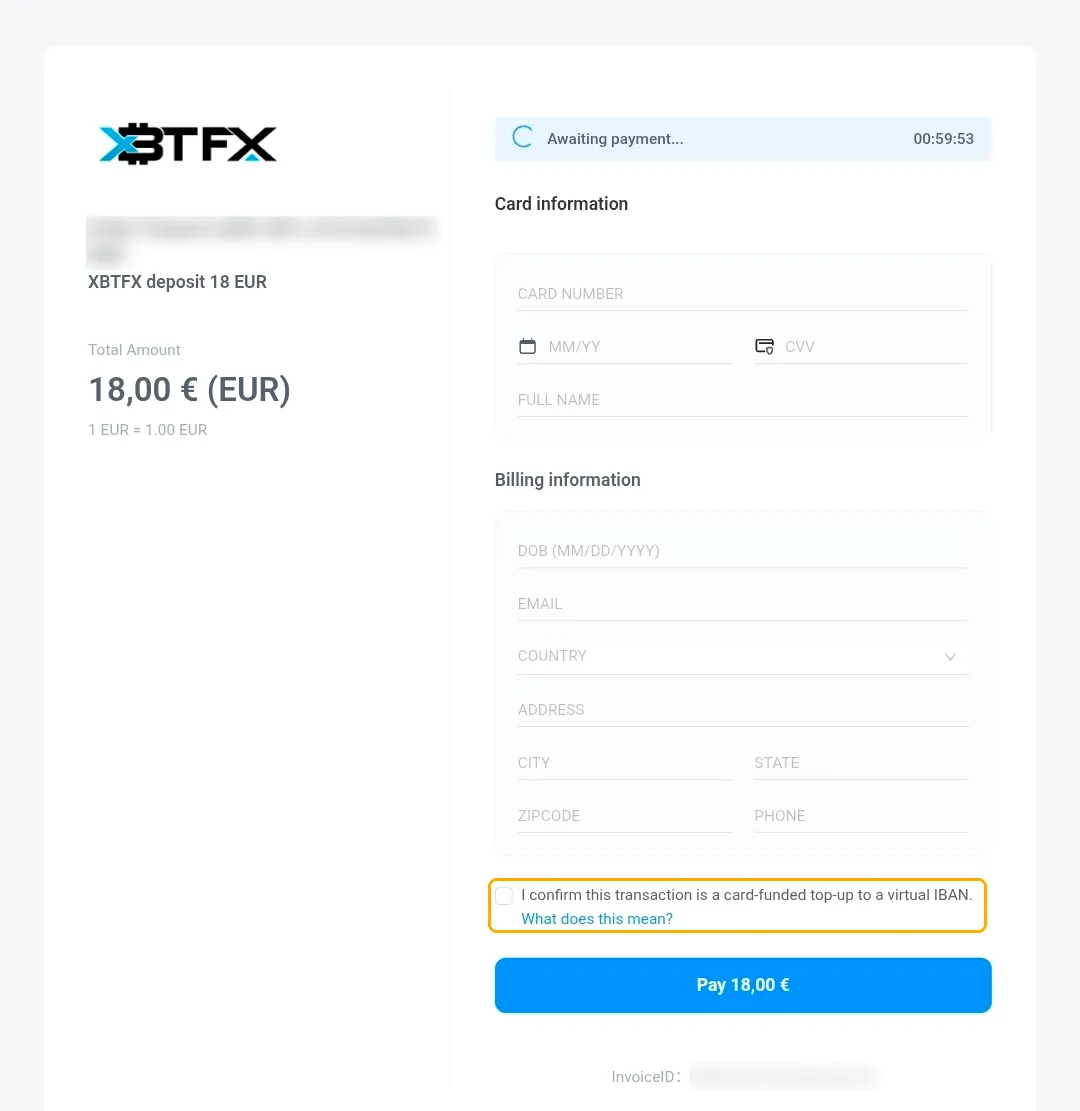
- Fill in the card and billing details on the checkout page.
- Tick the confirmation box, then Pay.
Choosing a currency
The currency does two jobs:
- It decides which wallet gets the money, shown under Destination.
- It filters the methods below.
Methods marked By request are not switched on for your account yet. Ask through the chat widget. Bank transfers have their own page, see Deposit by Bank Transfer.
Setting the amount
- The limits sit under the field. For EUR cards that is 10.00 EUR minimum and 10,000.00 EUR maximum.
- Check the Destination panel names the wallet you meant before you continue.
Paying
The checkout page belongs to our payment provider, so it looks nothing like the portal. That is expected.
- An Awaiting payment countdown runs in the corner. Finish before it expires or you start again from the Wallet page.
- Card information: number, expiry as MM/YY, CVV, and the name on the card.
- Billing information: date of birth, email, country, address, city, state, zip code, phone. Use the address your card is registered to.
- Tick I confirm this transaction is a card-funded top-up to a virtual IBAN. The What does this mean? link explains the wording.
Keep the order reference at the top of the page or the invoice ID at the bottom. Either one lets us find the payment.
After the payment
- The money is credited to the wallet for that currency.
- It shows under Deposits on the Wallet page.
- Use Transfer to move it to a trading account.
If the card is declined
Most declines come down to one of these, roughly in order:
- The name or billing address does not match what your bank holds. Banks are strict about this and rarely say so.
- The amount is outside the minimum or maximum.
- The countdown expired while you were filling in the form.
- Your bank blocks payments to trading and crypto businesses by default. Plenty do, and they can usually lift it for a single payment.
Anything else, bring the order reference or invoice ID, the amount and roughly when you tried to the chat widget.